
Download Quiz Helper
Get the extension from the official Chrome Web Store or install manually.
📦 Chrome Web Store
The easiest way to install. Click the button below to get Quiz Helper directly from the Chrome Web Store.
🔗 Add to Chrome📤 Manual Installation (Developer Mode)
For advanced users who want to install without the Chrome Web Store.
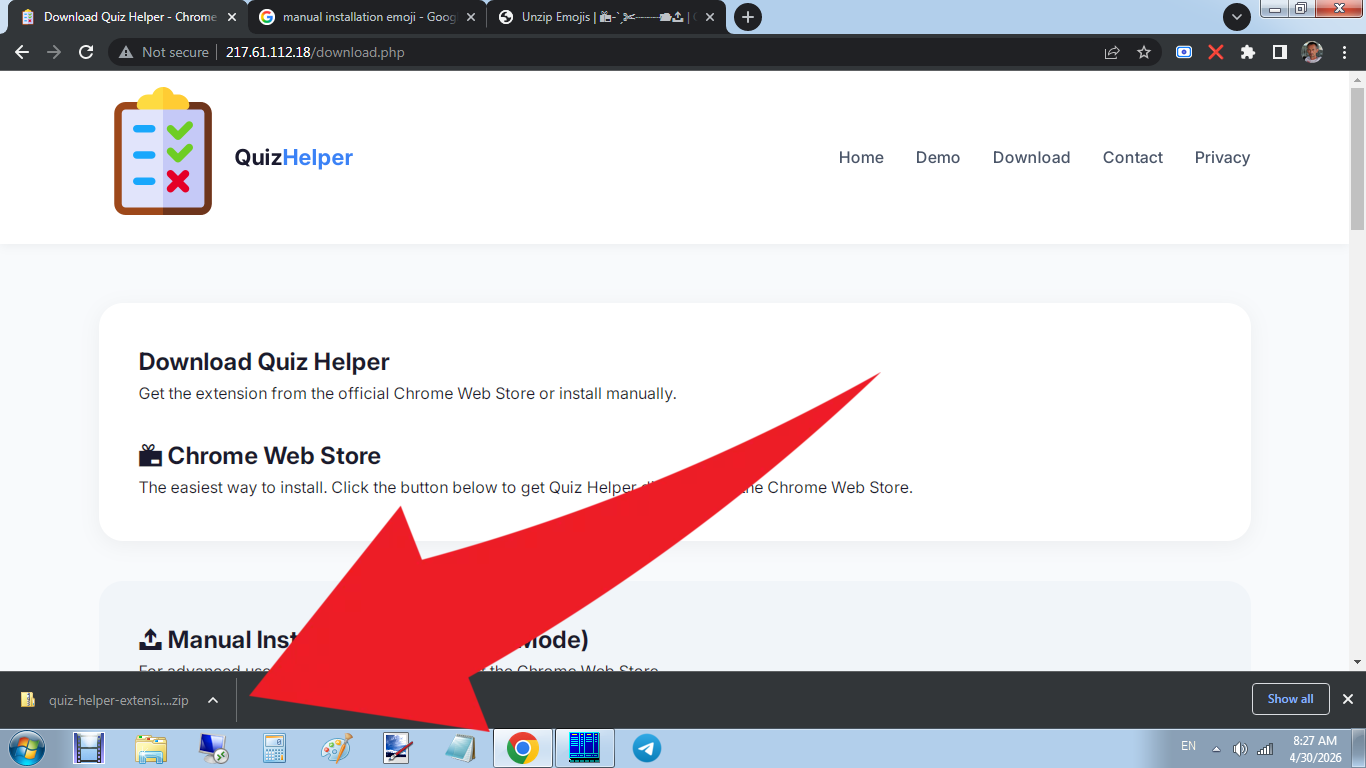
Step 1: Download the Extension
Click the button below to download the unpacked extension ZIP file.
📥 Download Extension (ZIP)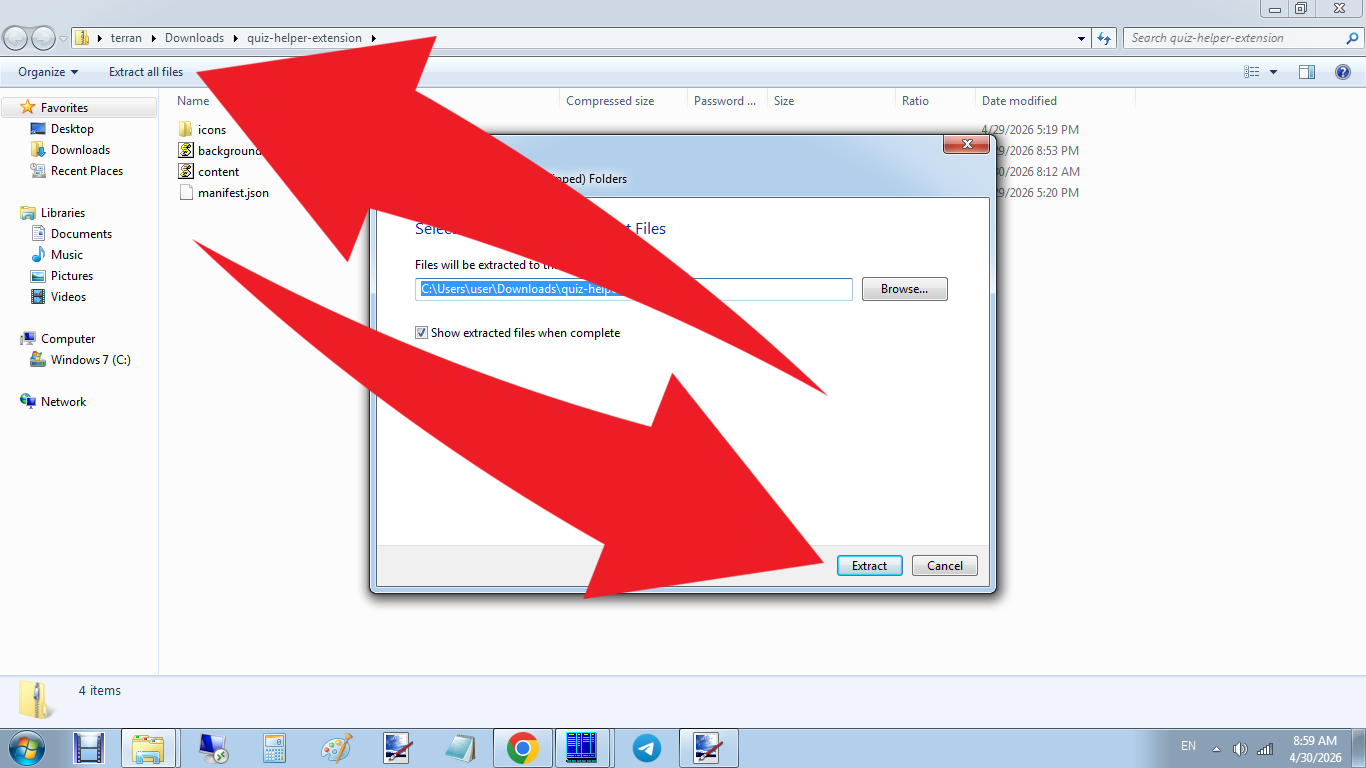
Step 2: Extract the ZIP File
Unzip the downloaded file to a folder on your computer. Remember where you put it!
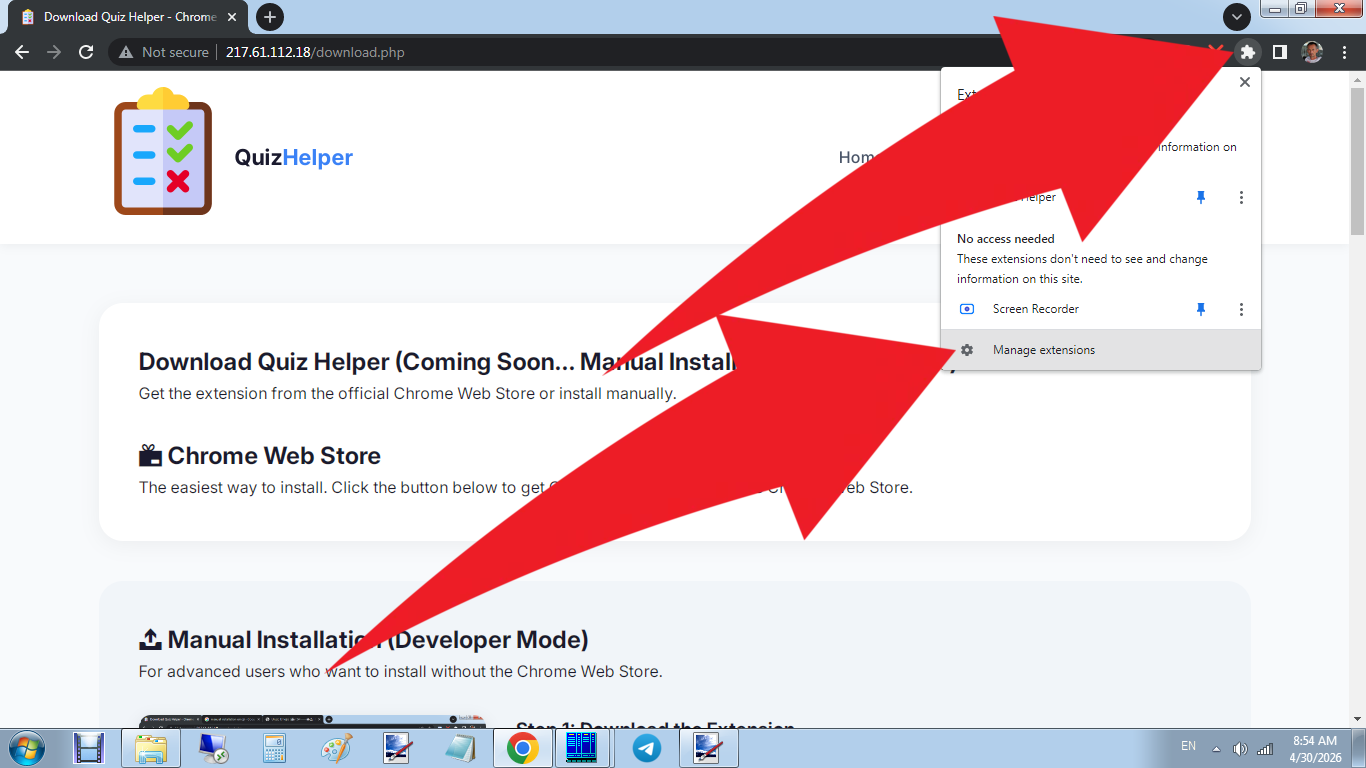
Step 3: Open Chrome Extensions
Open Chrome and go to chrome://extensions/ in your address bar.
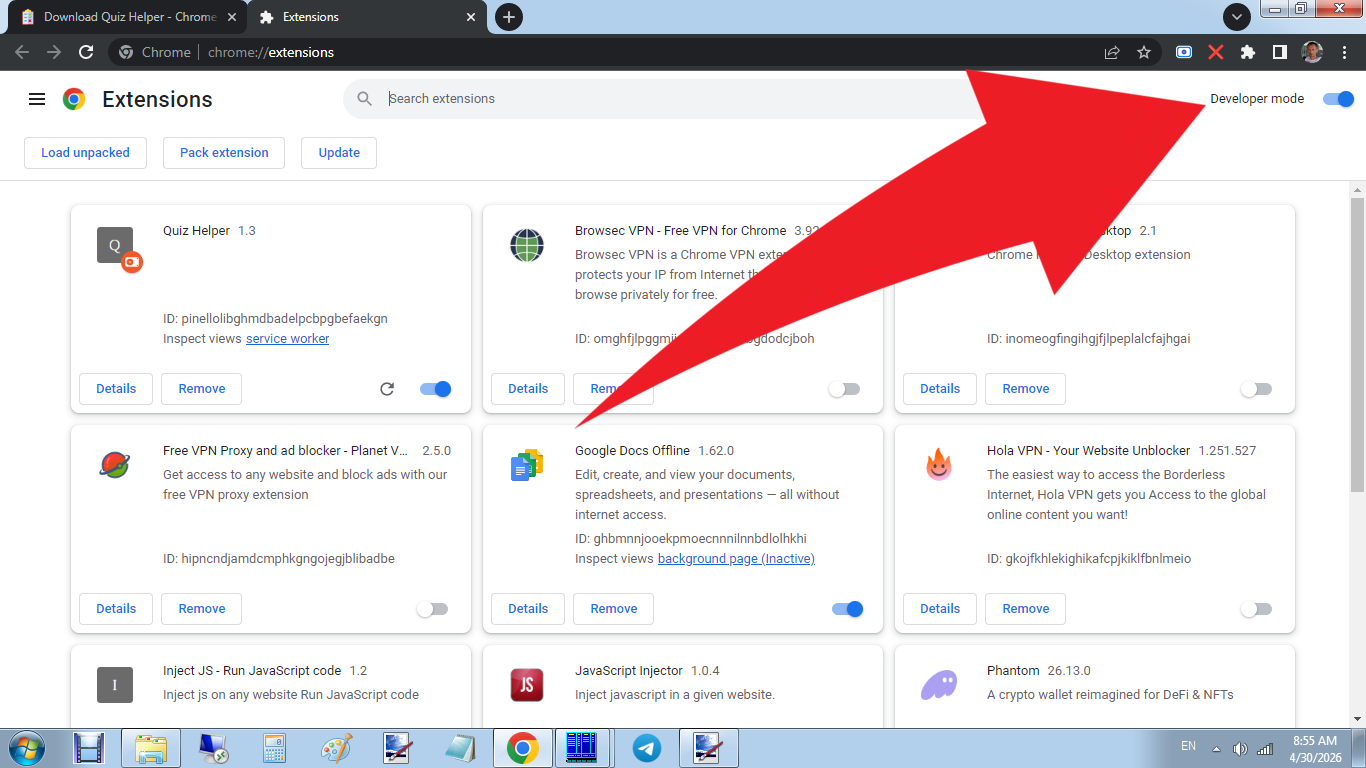
Step 4: Enable Developer Mode
Toggle the "Developer mode" switch in the top-right corner of the page.
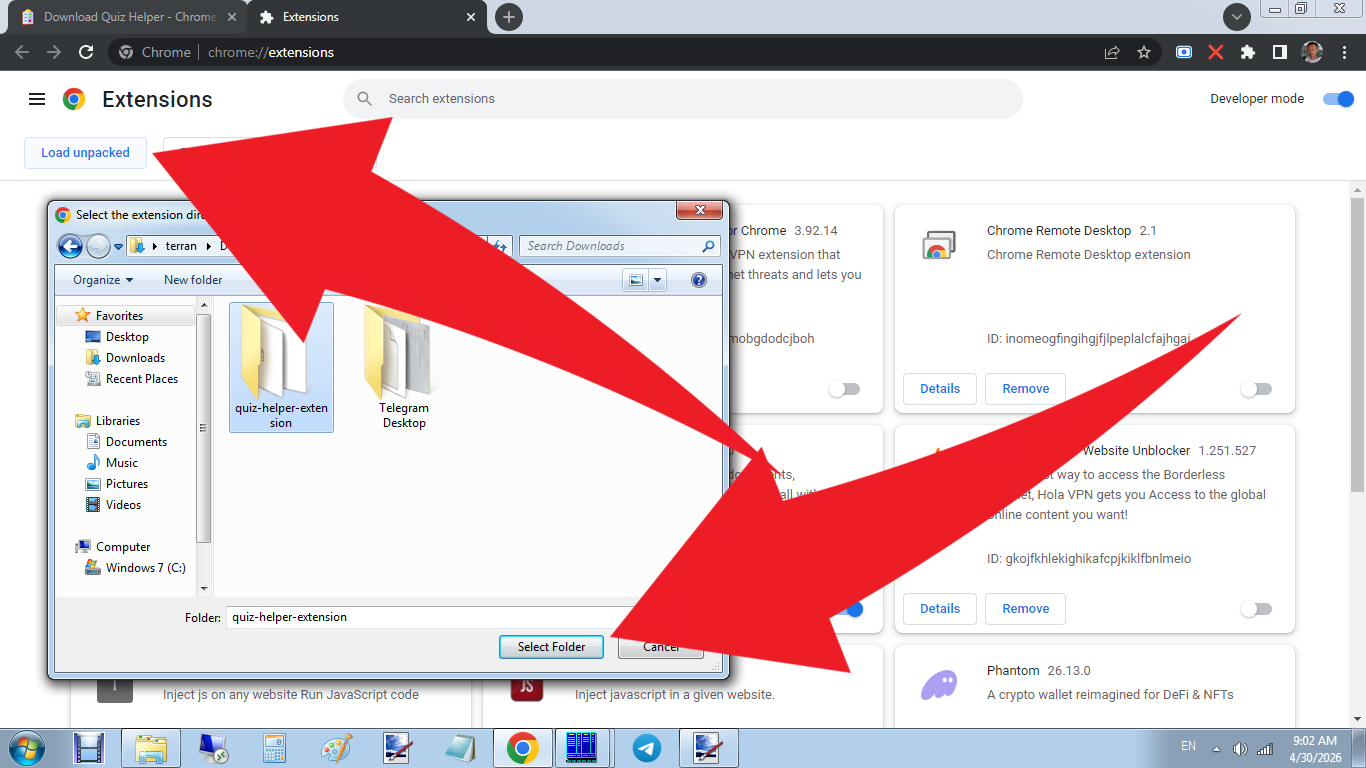
Step 5: Load Unpacked Extension
Click "Load unpacked" and select the folder where you extracted the ZIP file.
⚠️ Note: Manual installation requires you to keep the extension folder on your computer.
If you delete or move it, the extension will stop working. For regular use, we recommend installing
from the Chrome Web Store instead.